Multiplayer Is Murdering Your Frame Rate: The Tegra Network Problem Nobody Warned You About
You've done everything right. Thermal paste is fresh, background apps are killed, graphics settings are dialed in. Your Tegra device runs your favorite game at a buttery smooth 60fps in single-player mode. Then you queue up for a ranked match, and suddenly you're watching a slideshow. What gives?
The frustrating truth is that online multiplayer introduces an entirely different category of performance problem — one that standard benchmarks and optimization guides almost never address. And on Tegra hardware specifically, the way network conditions interact with the chip's architecture creates degradation patterns that are genuinely unique. Let's break down what's actually happening under the hood.
Why Tegra Feels Network Problems Differently Than Other Chips
Most desktop and even mainstream mobile processors handle network I/O through a dedicated pathway that stays largely isolated from rendering workloads. Tegra's unified memory architecture changes that equation. Because the CPU, GPU, and network subsystem are all drawing from the same shared memory pool, a spike in network activity — say, a burst of incoming game state packets during a firefight — can directly compete with the resources your GPU needs to render the next frame.
This is especially pronounced on older Tegra generations like Maxwell and Pascal. When packet processing demands a chunk of memory bandwidth at the same moment your GPU is trying to push geometry and textures, something has to give. Nine times out of ten, it's your frame rate that blinks first.
Ampere-based Tegra devices handle this better, but they're not immune. The shared memory bus is a fundamental architectural reality, not a flaw that got patched out.
The Three Network Culprits You Should Actually Be Monitoring
Not all network problems hit Tegra the same way. Here's what you actually need to watch:
Packet Loss is probably the most destructive force for Tegra multiplayer performance, and it's also the sneakiest. When packets drop, your device has to request retransmissions. That back-and-forth eats CPU cycles for network stack management, which on a Tegra device running a shared workload means you're pulling resources away from game logic and rendering. Even 1-2% packet loss — which most people would consider totally acceptable for casual browsing — can cause noticeable frame stutter in competitive titles.
Jitter (the inconsistency in packet arrival timing) is the second big one. Games depend on receiving state updates at predictable intervals. When packets arrive in uneven bursts, the game engine has to do extra interpolation work to smooth out movement. That interpolation runs on the CPU. On a Tegra device where CPU headroom is already tight during intense multiplayer moments, that extra workload shows up as frame time spikes.
Bandwidth Saturation is more relevant than ever with modern multiplayer games pushing larger update packets. If your connection is also handling a software update or a streaming session in the background, your Tegra device will start dropping game packets before your router even breaks a sweat. The result looks exactly like a hardware performance problem, but it's entirely a network resource issue.
Real-World Scenarios Where This Actually Shows Up
Let's talk about where you're most likely to run into this in the wild.
Mobile competitive games like shooters and battle royales are ground zero for this problem. These titles use aggressive netcode that sends and receives dozens of updates per second. On a Tegra-based Android device sitting on a congested 5G connection at a stadium or a busy coffee shop, you'll see frame rate dips that have nothing to do with your graphics settings.
Cloud gaming adds another layer of complexity. Services like GeForce NOW are actually doing most of the rendering work on remote servers, but your Tegra device is still responsible for decoding the incoming video stream while simultaneously managing the outbound input stream. Under poor network conditions, the decoder has to work harder to handle corrupted or delayed frames, and that processing load competes directly with the display pipeline. The result is a specific kind of lag that feels different from typical input lag — it's choppier and less predictable.
Cross-platform titles that mix mobile and console or PC players often use server architectures optimized for the lowest common denominator connection. That can mean your Tegra device is receiving updates at a rate it wasn't tuned for, creating irregular CPU load spikes that trash frame consistency even when your average frame rate looks acceptable.
How to Actually Diagnose the Problem
Before you start tweaking, you need to confirm that network conditions are actually the root cause. Here's a quick diagnostic workflow:
-
Run the same game session in offline or single-player mode and capture frame time data using a tool like GameBench or your device's built-in developer stats overlay. This is your baseline.
-
Jump into an online session and capture the same data. Pay attention to frame time spikes specifically, not just average FPS. A drop from 60fps average to 55fps average is less telling than seeing your frame time spike to 40ms every few seconds.
-
Run a network quality test during gameplay using an app like PingPlotter or even a simple command-line ping test to your game server's IP. If you're seeing jitter above 20ms or any packet loss at all, you've found your culprit.
-
Check your background data usage. On Android-based Tegra devices, go into Settings > Network > Data Usage and look for apps consuming bandwidth during your play session. You'd be surprised how often a cloud backup or app update is silently competing with your game.
Optimization Moves That Actually Help
Once you've confirmed the problem, here's where to focus your energy:
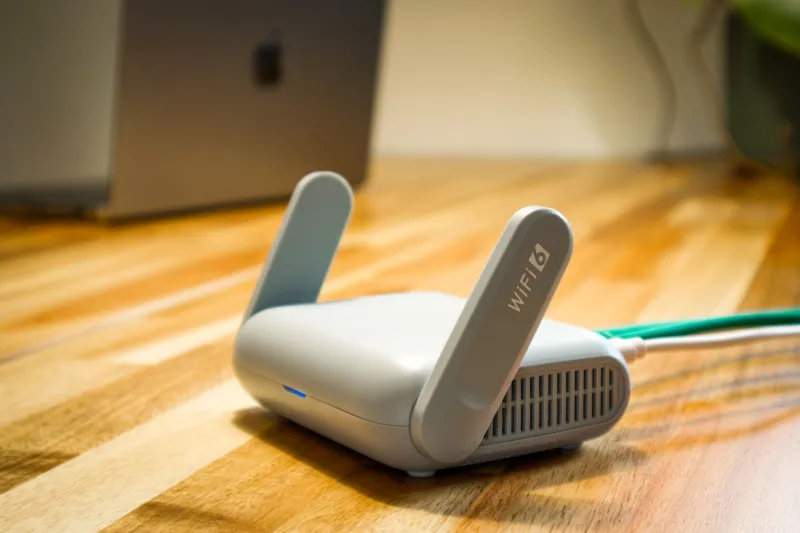
Switch to 5GHz Wi-Fi if you haven't already. The 2.4GHz band is congested in most US apartments and neighborhoods. The 5GHz band offers lower interference and more consistent packet delivery, which directly reduces the jitter that hammers Tegra's CPU during multiplayer.
Enable QoS on your router. Most modern routers — including popular options like the ASUS RT-AX88U or the Eero Pro — let you prioritize traffic by device or application type. Setting your Tegra device to high priority ensures game packets don't get stuck behind your roommate's Netflix binge.
Reduce your in-game network update rate if the option exists. Some multiplayer games let you tune how frequently your client sends and requests updates. Dropping from 60 to 30 updates per second cuts the network processing load roughly in half, which frees up meaningful CPU headroom on Tegra hardware.
Disable background sync during play sessions. On Tegra-based Android devices, you can toggle off background data for specific apps or use a gaming mode that restricts background network access entirely. This single change eliminates a huge category of phantom performance problems.
For cloud gaming specifically, try dropping your stream quality one tier below your connection's theoretical maximum. Counterintuitive, but a slightly lower resolution stream that arrives consistently beats a higher resolution stream that stutters under mild network stress. Your Tegra's decoder will thank you.
The Bottom Line
Your Tegra device isn't broken when it struggles in multiplayer. It's responding exactly as you'd expect a chip with a unified memory architecture to respond when network conditions get messy. The good news is that most of the fixes live outside the device itself — in your router settings, your network environment, and a few smart in-game adjustments.
Single-player benchmarks will never show you this problem. But now that you know what to look for, you'll be able to spot it, diagnose it, and actually fix it instead of chasing phantom hardware issues that aren't really there.